Equipsme plans are designed to offer practical, everyday health and wellbeing support. But your benefits can only start working when you log in to use your Equipsme services. Here’s how to get started.
How to log in to Equipsme
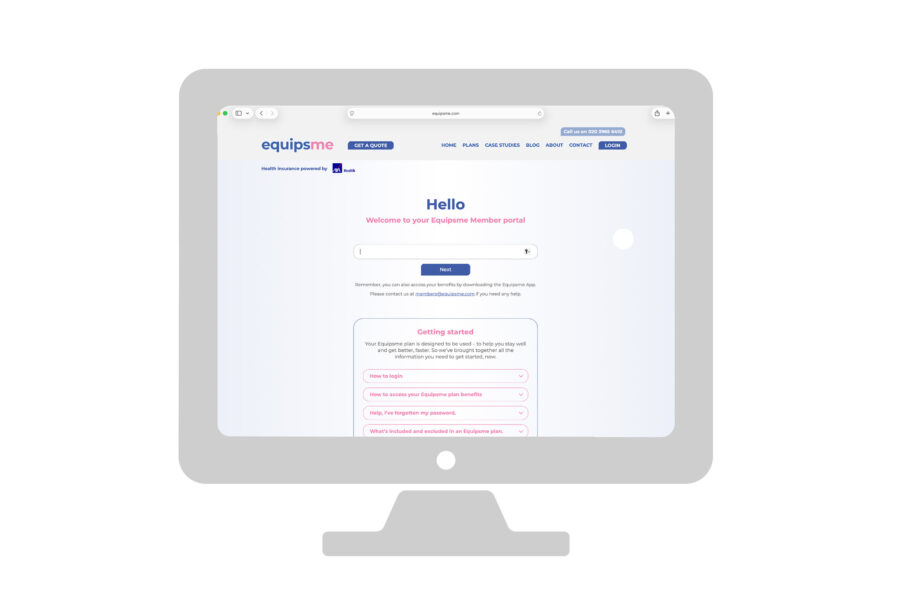
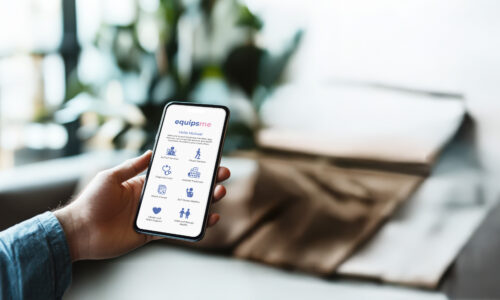
You can access your Equipsme benefits online through your personal portal, or through the Equipsme App from your mobile phone or tablet.
Portal
Visit equipsme.com and click on the Login button on the right of the top bar.
Click on Member Login below.
You’ll be prompted to put in your username.
Your username will be in the Welcome email we sent you when your company first brought your plan. Search your email for ‘Equipsme’ to find your Welcome message.
When you type in your username, just make sure your caps lock is off, and type it in in all lower case letters.
When you use the username for the first time, you’ll be asked for your date of birth to help identify you. You’ll then be sent an email with a code.
Type in the security code, and our system will prompt you to set a password. This needs to be 10 characters long, must include capital letters, numbers, and another character or symbol, like !?*%
You’ll be asked to type the same password twice. It’s worth writing down a clue to your password somewhere, so you can remember it when you come to log in again.
Your personal portal is your own secure area. On your home page you’ll be able to see all your benefits laid out in simple icons.
To access a benefit, click on the icon, and follow the instructions.
App
Download the Equipsme App from your phone’s application shop or store.
You’ll be prompted to put in your username and choose a password, as you would on the Portal.
Help! I’ve forgotten my password!
Don’t worry, we all forget passwords from time to time. Here’s what to do next.
Click on ‘forgotten password’ under the password box.
You’ll get an email to your username email address prompting you to reset it.
If you don’t get an email, or you’re still having trouble getting into your portal or App, email our Customer Service at [email protected]or call 020 3965 6410.
Trouble-shooting
If you’re having trouble logging in, please don’t worry. Your information is safe and we can always help you re-set everything. Here’s some things to try before you give us a call:
Check your Caps Lock is off.
Triple check your username is typed in all lowercase. (You can press the eye at the side to see what you’re typing).
Search your Inbox for your Equipsme Welcome email to check you’ve got the correct username.
Check your junk or spam folder in case your Welcome or password reset email has got stuck in one of them.
Quick info about logging in
Find your Welcome to Equipsme email for your login details
Download the App, or visit the website
Set a memorable password
Find all your benefits on your homepage
If you get stuck, email our Customer Service at [email protected] or call 020 3965 6410.
We use cookies to collect information that helps us help you get the most out of our website. It means we learn and remember what information is relevant to you.Find out more about our Cookie Policy here.By continuing to use equipsme.com, you’re agreeing to our use of cookies.You can also choose which cookies you want and manage your cookies at any time here.
Choose which cookies to accept
Accept all cookies
We use three types of cookies and you can choose which to accept.